Linkurious Enterprise 4.3: Introducing Copilot, Query AI and CSV Import
The release of Linkurious Enterprise 4.3 focuses on making investigations faster and more comfortable, with a stable Query AI experience, the introduction of Copilot, the beginning of the internationalization of the Linkurious Enterprise UI major Property Panel usability improvements, and CSV Import — alongside a few important platform updates to be aware of.
Latest version: v4.3.13
We're introducing Copilot (Beta), a new AI-powered investigation assistant designed to help analysts understand complex graphs faster, uncover evidence-backed insights, and stay in control of the investigation.
Investigating graph data requires analysts to understand unfamiliar networks, identify the entities and relationships that matter, run multiple queries, and piece together evidence before reaching a conclusion. Copilot helps accelerate this process by turning natural-language questions into graph searches and analysis, while making it easier to understand how its responses relate back to the underlying graph.
With Copilot, you can:
- Orient yourself faster by understanding the structure of an unfamiliar network.
- Investigate systematically with AI-assisted analysis tailored to your objective.
- Search entities and run graph queries using natural language.
- Connect responses back to the graph through references to relevant entities and relationships.
- Inspect the Cypher query behind a response for greater visibility into how Copilot queried the graph.
- Summarise findings and identify areas for further investigation.
- Review the evidence supporting each observation before drawing conclusions.
Copilot remains in Beta, and we're continuing to refine the experience based on customer feedback, with a particular focus on transparency, usability and analyst control.
And we'd love your feedback. If you'd like to help shape its future, reach out to your Customer Success Manager. Your insights will help us continue building capabilities that solve real investigative challenges.
Note: Copilot is currently available as a Beta feature. As with any AI assistant, responses may occasionally be inaccurate or incomplete. We recommend validating important findings against the underlying graph data before making investigative decisions.
Query AI is now officially stable and ready for everyday investigative workflows.
It lets you explore your graph using natural language questions, instantly generating Cypher queries that you can review, edit, and save, keeping you fully in control.
Whether you’re an investigator, analyst, or occasional graph user, Query AI helps you reach insights faster without requiring deep Cypher expertise. It works with your preferred LLM (ChatGPT, Gemini, Claude, and more), making graph exploration more intuitive and accessible.
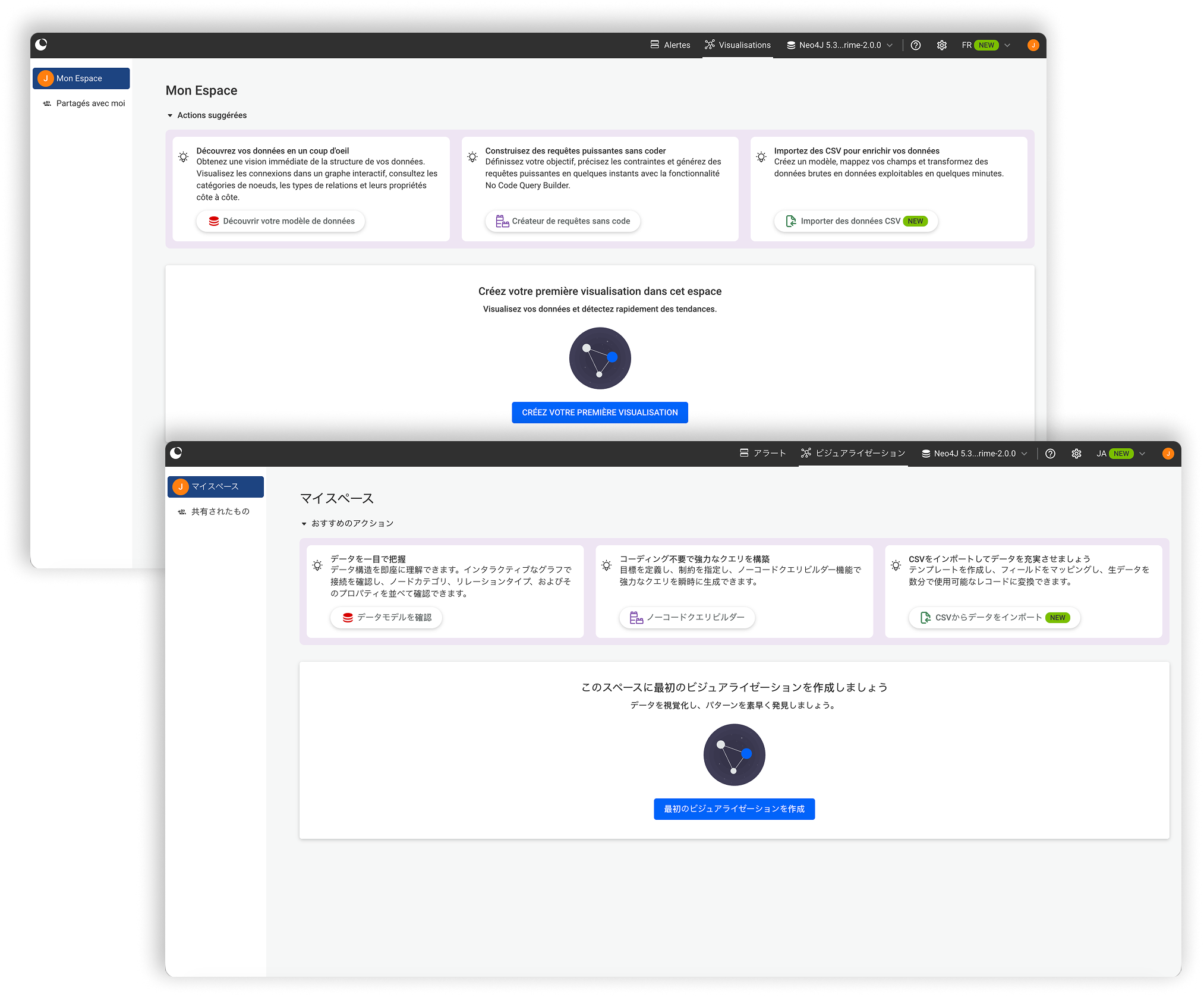
In addition to English, Linkurious Enterprise is now available in French, Italian, Spanish, Japanese and Arabic making graph investigations more accessible to users across global teams.
Users can now navigate the interface, perform investigations, and collaborate in their preferred language, helping organizations reduce barriers to adoption and improve the overall user experience.
This is just the beginning of our internationalization journey, with additional language support coming in future releases.
You can now copy a selection into a new or existing visualization. Isolate a subset of your graph and open it in a separate workspace, making it easier to focus on specific entities or relationships without the noise of the full dataset.
This feature allows you to explore hypotheses more efficiently, iterate on your analysis, and save focused visualizations for later — giving you greater control over how you investigate and share insights.
This release brings a set of thoughtful improvements to the Property Panel, designed to reduce friction and help you stay focused on what matters most during investigations.
What can you expect from these Property Panel improvements?
The Property Panel is now collapsed by default when selecting nodes or edges.
This gives you more space to focus on the graph itself, especially in dense or highly connected datasets. When you need details, the panel is always one click away—and it stays exactly how you left it while working within the same visualization.
Working with multiple nodes or edges is now clearer and more intuitive.
You can easily locate selected entities directly from the Property Panel and visually identify them in the graph, helping you maintain context when analyzing large tables or complex selections.
Reviewing data is now more comfortable thanks to several usability improvements:
- Long property values are easier to read
- Table headers remain visible while scrolling
- Navigating between property categories is faster and smoother
The Property Panel can now be resized, letting you adapt the interface to your workflow, whether you want to prioritize detailed data inspection or keep the graph front and center.
Now you can search for property keys directly within the property panel, helping you focus on relevant data faster—especially in complex datasets.
Node Snapping is a new graph interaction capability designed to help users organize visualizations more efficiently.
As you move nodes around a visualization, nearby nodes can automatically align according to a structured layout. This helps reduce manual adjustments, improves clarity when working with complex graphs, and makes it easier to create readable and organized investigative workspaces.
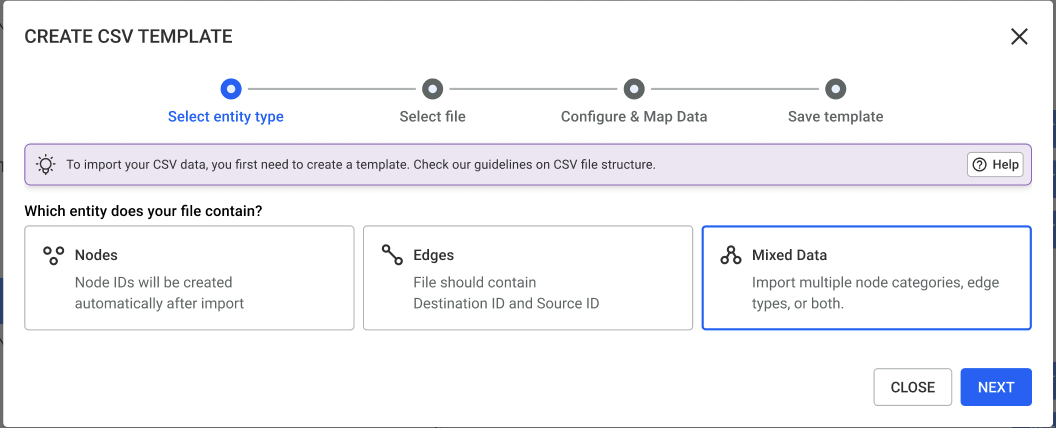
Bringing external data into your investigations is easier than ever thanks to the new CSV Import feature. Because CSV is a universal format supported by nearly every system, users can quickly upload and explore new datasets without any technical setup or connectors. This makes it easier to bring information from external tools and sources into Linkurious Enterprise.
With the introduction of Advanced Mode, CSV Import can now support more complex datasets and import scenarios, giving users greater flexibility over how external data is represented in the graph.
Advanced Mode enables users to import CSV files containing multiple node and edge types as part of the same import. This makes it easier to work with richer datasets without first restructuring them into simpler import formats.
Users can map different entities and relationships during the import process while maintaining control over how the data is represented in the graph.
When duplicate records are detected, you can decide how they should be handled before completing the import. Depending on your investigation needs, you can merge incoming information with existing data or ignore duplicates to avoid creating redundant records.
This enhancement makes it even easier to enrich existing investigations with external datasets while preserving the quality and consistency of your graph.
CSV import also unlocks rapid prototyping: investigators can test hypotheses, visualize relationships, or enrich an existing graph in minutes, without waiting for a full data source to be configured. For example, during a fraud investigation involving hundreds of customers, analysts can import phone call records received as CSV files and link them to existing phone number nodes, instantly revealing hidden connections and new investigative leads.
The context menu now surfaces your top 7 queries, showing your favorites first. It also links directly to the full Query Panel, so you can explore and run queries without interrupting your workflow.
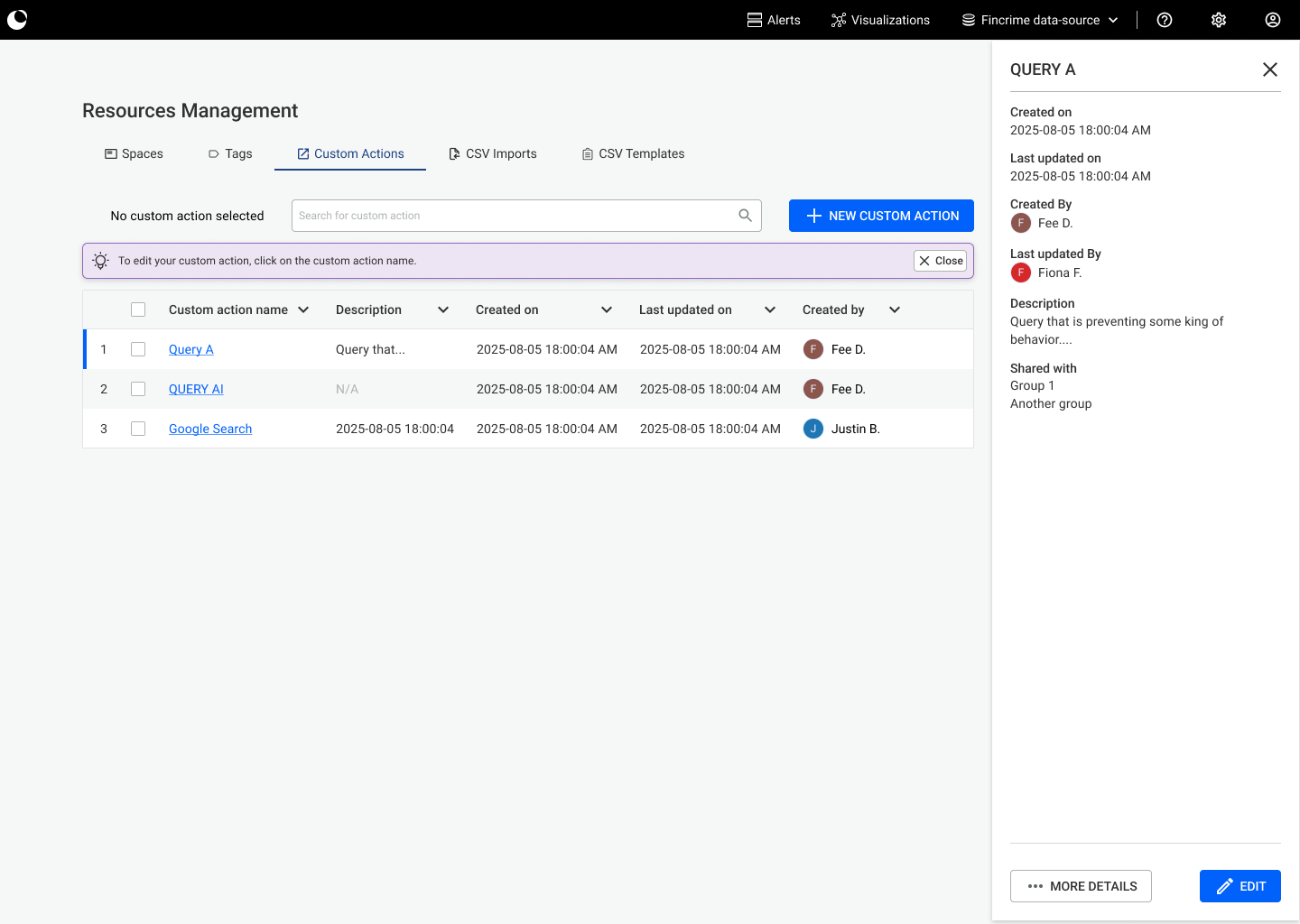
Custom actions are now faster to access and trigger, keeping your key integrations and automations within reach during investigations.
You can now customize badges directly within the interface to highlight the attributes, statuses, or categories that matter most, so key information is easier to spot at a glance.
Linkurious Enterprise now offers a revamped plugin experience: plugins are more accessible through the UI, allowing users to quickly find and launch the tools they need without interrupting their investigation workflow.
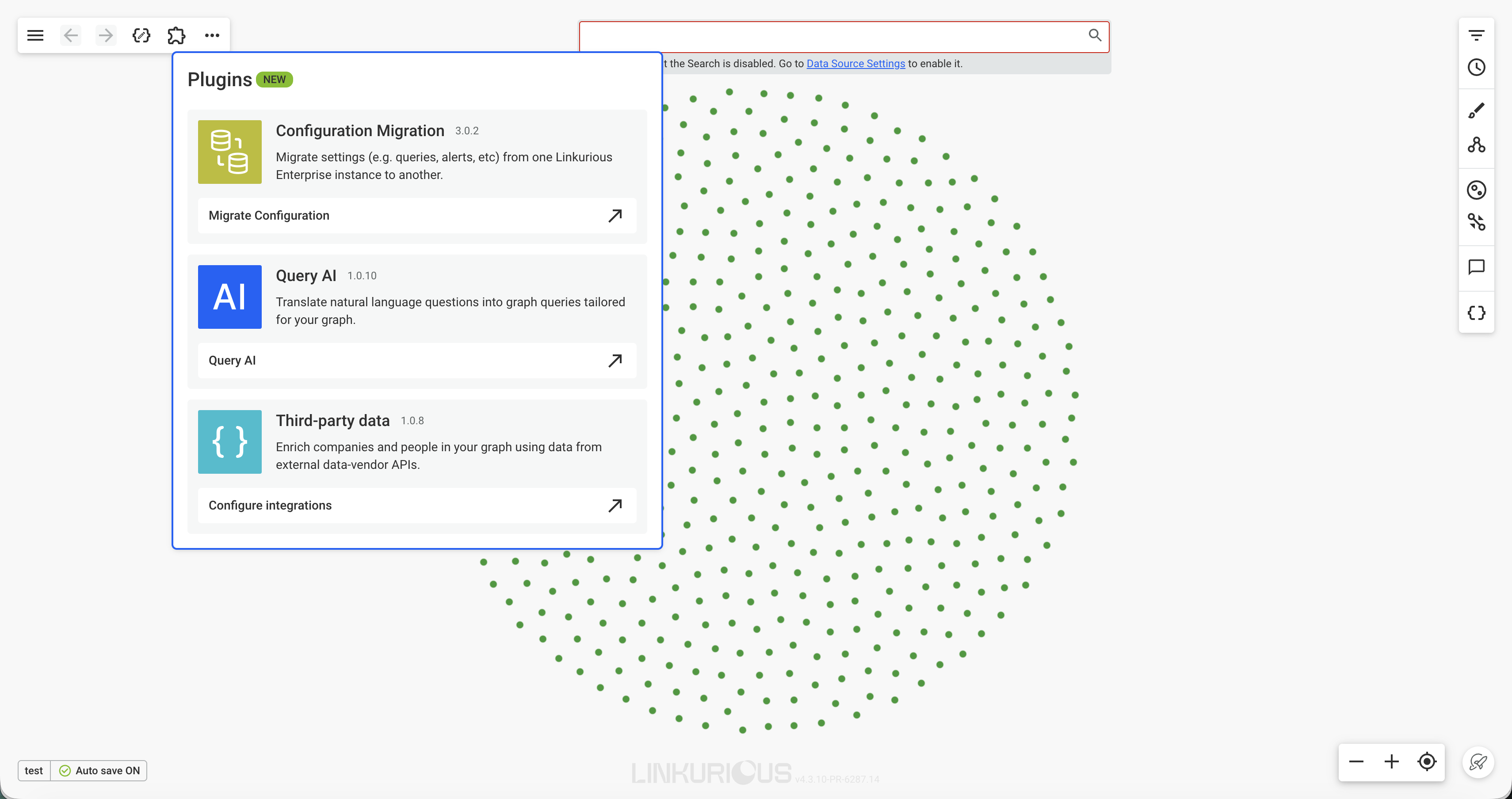
Connecting a data source in Linkurious Enterprise is now simpler and more intuitive, with a redesigned flow that guides administrators step by step through setup. Clearer actions, smarter defaults, and improved feedback along the way mean teams can start exploring their graph data faster than ever.
As part of this release, a few changes may require attention depending on your setup:
- Browser support has been updated. Versions released more than 2 years ago are no longer supported. Please ensure you are using Chrome 119+, Edge 119+, or Firefox 120+ for the best experience.
- The minimum supported Neo4j version is now 4.4.0
- Elasticsearch 7 is no longer supported. Deployments must use Elasticsearch 8+.
- Embedded Elasticsearch is no longer available on macOS. If you run Linkurious Enterprise on macOS, you’ll need to host Elasticsearch separately. Please refer directly to the ElasticSearch deployment documentation for help.
- The Image Export plugin is no longer maintained. You can still use it through custom actions, but we recommend using the native export feature instead.
- For new deployments, local account passwords must now have at least 12 characters
- Session timeout behavior updated. The access.loginTimeout setting now defaults to 3 hours. If this parameter is not set, all user sessions will expire after 3 hours of inactivity.
- For organizations using local user accounts, administrators now have additional controls to strengthen account security.
These changes help ensure better security, long-term maintainability, and platform consistency.
Originally published 27 January 2026. Last updated 22 September 2026.
A spotlight on graph technology directly in your inbox.